

The accessibility challenge at the University of Southampton
The University of Southampton welcomes students from across the UK and around the world. Its international students needed clear and accessible information to help them stay safe, healthy and confident while adjusting to life and study in the UK.
The existing induction content was difficult for some students to understand and did not provide an effective or inclusive learning experience. The University needed a new approach that would communicate essential information clearly, support students with different disabilities and access needs, and reflect its commitment to equality, diversity and inclusion.
The project also needed to consider students who were processing important information in an additional language. This made clarity, structure, accessibility and ease of use particularly important.
What the University of Southampton needed
The University needed an accessible learning experience that would:
- communicate essential safety and wellbeing information clearly
- support students with disabilities and access needs
- work well for students with different levels of English
- provide an engaging and supportive experience
- enable students to learn independently and revisit information
- confirm understanding and completion
- reflect the University’s commitment to inclusion and excellence.
Aligning accessibility with innovation
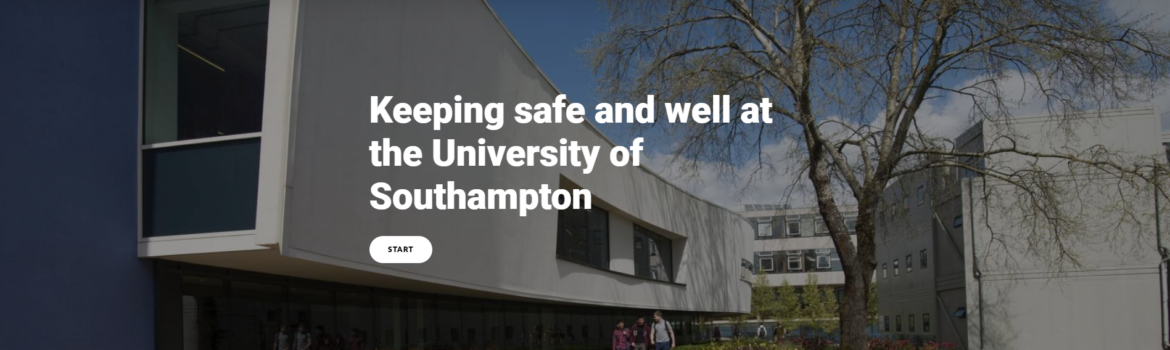
Susi Miller led the design and development of the Keeping Safe and Well module, placing accessibility at the centre of the project.
Accessibility requirements informed decisions about content, structure, language, interaction and multimedia from the beginning. This helped the team consider how students with different needs would access, understand and use the information.
The project also encouraged a more creative approach to learning design. Rather than allowing accessibility requirements to restrict the experience, the team used them to explore clearer and more effective ways to communicate important information.
This led to a module that was accessible, visual, interactive and relevant to the real experiences of international students.
Overcoming authoring tool limitations
The module was developed in Articulate Storyline 360 and designed to conform to WCAG 2.1 Level AA.
At the time, the authoring tool presented limitations when creating interactive content for learners using screen readers or keyboard navigation. Susi worked through these challenges and developed practical approaches that allowed the module to retain its interactivity while providing a more equitable experience.
Accessible interactions were created so that students were not required to use a mouse. Multimedia was also designed to support students who could not access important visual information.
Working within these constraints led to more thoughtful and inventive design decisions. The team had to consider how each activity would work for different learners and find solutions that supported both accessibility and the intended learning outcomes.
Accessibility therefore became a source of innovation within the project and helped improve the quality of the module as a whole.
Screen reader-friendly drag and drop interaction
Visual: The first slide shows an image of the earth as seen from space in the background of the slide. Introductory text shows over the top of the image.
Below the text is a button labelled FIND OUT MORE.
Screen reader: Helping save the planet. Slide one of seven. We’re working to reduce the waste we produce and to recycle as much as we can at our halls of residence and on campus. This topic will tell you how you can help. Button find out more.
Visual: The user selects the Find out more button to progress to the next slide. In the top right corner of the slide is a marker showing that the user is now on slide two of seven. The slide shows a heading and instructions at the top of the slide. Below the instructions is an image of a food bin, alongside images of different types of waste which include: an apple core, some onion peel, a pizza box, an empty tin, and a used tea bag. On the right of the slide are the descriptions of each item of waste with a checkbox against each item. In the bottom right corner of the slide is a SUBMIT button.
Screen reader: Helping save the planet. Slide two of seven. Recycling at your halls of residence. Which rubbish should go into the food bin? Use the space bar to select your options and then select submit to check your answers.
Visual: The user selects the items from the list that they think should go into the food bin.
Screen reader: Check box not checked. Apple core. Checked. Checked.
Visual: The image of the apple core slides over into the food bin and then disappears from the slide.
Screen reader: Check box not checked. Onion peel. Checked
Visual: The image of the onion peel slides over into the food bin and then disappears from the slide.
Screen reader: Check box not checked. Pizza box.
Screen reader: Check box not checked. Empty tin.
Screen reader: Check box not checked. Used tea bag. Checked. Checked. Button submit.
Visual: The image of the used tea bag slides over into the food bin and then disappears from the slide. The user selects the SUBMIT button in the bottom right corner of the slide. Text appears in a text box in the centre of the slide.
Screen reader: Well done. That’s the correct answer. The apple core, onion peel and used tea bag go into the food bin.
Visual: The user progresses to the next slide.
Screen reader: Helping save the planet. Slide seven of seven. Recycling game. Well done!. You are now a recycling champion! Select complete to finish this fifth topic and move to the next one. Button complete.
Improving the experience for international students
The accessibility approach supported a better experience for the module’s international audience.
The content was structured to make important information easier to understand and revisit. Students could work through it at their own pace and access it on mobile devices, giving them greater flexibility during a busy and potentially unfamiliar period.
The tone and design also helped communicate care and support. This was particularly important for students adjusting to a new country, culture and education system.
The result was a learning experience that helped students feel more informed, welcomed and confident. Teams working directly with students reported that learners appeared better prepared for everyday life in the UK, including areas such as road safety, fire safety and recycling.
Developing wider accessibility capability
The project also influenced accessibility practice beyond the module itself.
Susi developed guidance to help University staff understand and apply accessibility principles when creating learning content. The Keeping Safe and Well module was used as a practical example of how accessibility challenges could be addressed within Storyline.
This helped the learning team think more creatively about accessible design and gave colleagues practical approaches they could apply to future projects.
The work was also shared beyond the University, including with the Irish National Disability Authority, extending its influence across the wider accessibility community.
Key outcomes and impact
The module was rolled out to more than 1,200 international students on the University’s pre-sessional programme.
Student feedback showed 95% satisfaction across the top three ratings, with 67% of students awarding the highest rating.
The project demonstrated how accessible design could support innovation, engagement and learning quality. It also showed how considering a wider range of learner needs could result in a clearer and more effective experience for everyone.
The module became a model of accessible eLearning practice within the University and contributed to wider capability across the team.
Recognition for accessibility and excellence
The project provided strong evidence of how accessible learning could support the University of Southampton’s wider commitment to equality and diversity. Its practical accessibility approach was instrumental in the University’s successful application to become the first UK university to achieve Disability Confident Leader status.
The Keeping Safe and Well module also received external recognition when it was shortlisted for the Learning Technologies Award for Best Not-for-Profit and Public Sector Project. The shortlisting highlighted the quality of the learning design, its innovative response to accessibility challenges and the positive experience it created for international students.
Together, these achievements showed how accessibility could contribute to organisational priorities, encourage innovation and support excellence in learning design.
Key results
- accessible learning provided to more than 1,200 international students
- near-total completion by the end of the first month
- 95% student satisfaction
- improved experience for international students
- creative solutions to Storyline accessibility limitations
- wider accessibility guidance developed for University staff
- stronger accessibility capability within the learning team
- contributed to the University becoming the first UK university to achieve Disability Confident Leader status
- shortlisted for the Learning Technologies Award for Best Not-for-Profit and Public Sector Project
- demonstrated how accessibility could support the University’s equality and diversity priorities.