
Key takeaways
- Digital accessibility is a workplace and business priority. Accessible systems, information and learning help employees participate fully, while reducing legal, reputational and operational risk.
- Access needs are far more widespread than many organisations realise. Permanent, temporary and situational access needs can affect employees at different times, and many disabilities are non-visible.
- Digital barriers are created by the way workplaces are designed. Inaccessible platforms, documents, meetings and learning can prevent people from participating, regardless of their capability.
- Accessibility needs to extend across the whole digital workplace. Recruitment systems, HR platforms, communications, meetings, learning and workplace tools all influence whether employees can access information and opportunities.
- Building accessibility in from the start saves time and reduces costly remediation. A shift-left approach helps teams identify barriers early, before they become embedded in systems, content and processes.
- Testing needs to combine technology, human judgement and lived experience. Automated tools can identify some issues, but manual checks and feedback from employees with access needs reveal barriers that technical testing alone can miss.
- Sustainable digital accessibility depends on shared capability and accountability. Leadership, governance, training, procurement and clear responsibilities across HR, L&D, IT, digital and communications help accessibility become part of everyday practice.
- Accessible eLearning can be a catalyst for wider digital accessibility change. Learning reaches people across an organisation, giving L&D teams a practical opportunity to model accessible practice, build capability and influence other digital systems and content.
The importance of digital accessibility in the workplace
For an efficient and productive workplace, doesn’t it make sense to remove any barriers that prevent employees doing their job to the best of their ability? With ever greater reliance on online systems and access, getting digital accessibility in the workplace right doesn’t only support employees with disabilities and access needs, it improves things for everyone.
If your organisation has an effective digital accessibility strategy in place, the benefits can include:
- Greater opportunities to recruit and retain a diverse workforce
- Equal access for all employees to engage with systems, information and workplace activities
- Fair access to training, learning and career progression
- A more open and supportive working environment where employees feel recognised and included
- Reduced legal and reputational risk associated with discrimination
Read on to explore how removing digital barriers can strengthen employee engagement and productivity.

Why Digital accessibility is now a workplace priority
For any successful business, considering digital accessibility in the workplace is no longer optional. It is a business priority.
The rise of global accessibility expectations
Organisations are increasingly operating across borders, and accessibility expectations are rising globally. In the UK, the Equality Act requires employers to make reasonable adjustments so disabled employees are not placed at a disadvantage. Public sector bodies must also meet the Public Sector Bodies Accessibility Regulations, which set clear accessibility requirements for digital services.
In the United States, the Americans with Disabilities Act has been used to challenge inaccessible digital systems. Across the European Union, the European Accessibility Act strengthens requirements for accessible digital products and services. In Canada, the Accessible Canada Act also establishes legal obligations aimed at identifying, removing and preventing accessibility barriers, including in digital environments.
But the drivers for change are not only legal. Reputational risk is significant and inaccessible systems can damage an organisation’s brand and undermine its commitment to diversity. Operationally, inaccessible tools create inefficiency, increase support requests, and lead to costly retrofitting.
For multinational organisations, digital accessibility reduces risk across jurisdictions, supports consistent standards, and protects workforce participation. It demonstrates that inclusion is not a statement of intent, but a practical reality embedded in everyday systems and learning.
The business and performance case for digital accessibility
“When workplace systems and learning platforms are easy to access and use, employees spend less time working around barriers and more time doing their job.”
Considerations such as clear layouts, consistent navigation, captions in meetings, and well-structured learning content, reduce confusion and unnecessary cognitive effort. That directly supports productivity. Increasingly, this also applies to AI supported workplace tools. When AI assistants, knowledge systems and automated workflows are designed accessibly, employees can interact with them more efficiently using assistive technologies, voice input or keyboard navigation.
If employees can independently complete tasks, access training, and contribute to meetings without asking for adjustments every time, they feel capable and trusted. Fostering that employee confidence strengthens their engagement.
Employee engagement increases further still when they feel considered in how systems and learning experiences are designed. By considering the accessibility of its platforms, an organisation signals that they value fairness and participation. This supports a working environment were people feel safe and encouraged to contribute ideas, ask questions, and develop new skills.
Initiatives such as the Microsoft Neurodiversity Program highlight that big business recognises that more diverse teams are highly beneficial. A recent report by the CIPD Neuroinclusion at work states:
‘There is a growing expectation for employers to be flexible and supportive and to have a culture where people are able to be themselves and do their best work.’
Staff retention is also influenced by everyday digital experience. If workplace systems are frustrating or excluding, talented employees may disengage or leave. When systems are inclusive and supportive, people are more likely to stay and progress.
The impact of digital accessibility in hybrid and remote workplaces
Remote and hybrid working are now a key part of how many organisations operate, so it makes sense to ensure that this mode of working supports employees with access needs.
Globally, the prevalence of remote work has risen dramatically since before the pandemic. Research published on ScienceDirect indicates that across 20 countries, job postings for work-from-home roles increased from about 2.5% to around 11% between 2020 and 2023 and remain significantly higher than pre-pandemic levels. In the UK, the Office for National Statistics reports that more than a quarter of workers were in hybrid working arrangements in early 2025. These patterns highlight a permanent shift in working arrangements that brings accessibility issues into sharper focus.
Collaboration platforms, video conferencing tools and shared document systems are essential for hybrid and remote teams. However, they can present barriers if not designed accessibly. For example, captions and transcripts may be missing from recorded meetings, making it harder for colleagues who are deaf or hard of hearing to follow discussions. Screen reader users can struggle with poorly structured shared documents and menus that are not properly labelled. Findings published on ResearchGate highlight that real-time chat and task management tools can also be difficult to navigate for people who rely on keyboard access or assistive technologies.
Addressing these challenges requires intentional choices about tools, settings and workflows, rather than assumptions that all digital platforms will work equally well for every employee. Accessible digital collaboration supports productivity and inclusion, whatever the location of the team.

Who digital accessibility in the workplace is for?
Understanding how digital accessibility impacts everyone is vital to appreciate its importance in the workplace and to create an effective strategy.
Permanent access needs
Staff with permanent access needs are not always visible. Disabled World reports that around 70 to 80% of disabilities are not immediately visible. You may be aware of a colleague who is hard of hearing and uses a hearing aid, but many access needs are less obvious. Examples include:
- Reduced vision or hearing, particularly among older adults
- Colour blindness or colour vision deficiency (CVD), which affects around 1 in 12 men and 1 in 200 women
- Neurological conditions such as photosensitive epilepsy
- Neurodivergent conditions including attention deficit hyperactivity disorder (ADHD), autistic spectrum disorder (ASD) and dyslexia
Temporary access needs
Temporary access needs can also affect an employee’s ability to interact with digital systems and are more common than many organisations realise. These situations are often short term, but they can still make it difficult for someone to perceive information, hear audio, use input devices, or concentrate on complex tasks.
Examples include:
- An injured hand or wrist that makes using a mouse, keyboard, or touch screen difficult
- Blurred or sensitive vision following eye surgery, hay fever or migraines
- Difficulty hearing audio clearly during a head cold or ear infection
- Fatigue, stress, anxiety, or illness that affects concentration, memory, or the ability to process complex information
- Temporary cognitive overload when managing multiple tasks, deadlines, or unfamiliar systems
Situational access needs
Finally, there are situational access needs that can impact everyone. Most of us have attended a virtual meeting in a noisy environment or tried to access a service using a device with a small screen such as a smartphone or tablet. In both these situations, we may experience extra challenges to complete the task we are trying to carry out.
When workplace systems are designed accessibly as the default, organisations ensure that everyone can get the most out of their digital resources, regardless of how they access them.

Digital accessibility and the social model of disability at work
Digital accessibility at work is rooted in the social model of disability, which recognises that people are not disabled by their condition, but by barriers created in the environment around them.
When we think about accessibility challenges, we often focus on the physical environment. It’s easy to picture situations where someone with access needs might struggle, such as a wheelchair user who cannot access a building because there are only stairs. In the workplace, however, barriers are more often digital. They show up in systems that cannot be used with a keyboard, documents that are not screen reader friendly, videos without captions, or online forms that are confusing and difficult to fill in.
Looking at everyday workplace situations makes this clearer. The limitation is rarely the person’s condition. The barrier is created by the way systems, information and processes have been designed. For example:
- A colleague who is blind is not limited in the workplace by their vision. The barrier arises when a workplace platform does not work with assistive technology.
- An employee with dyslexia is not restricted by how they process information. The barrier arises when guidance is dense, inconsistent or poorly structured.
- A team member with reduced hearing is not excluded by their hearing loss, but by videos or meetings where they cannot access captions or transcripts.
When accessibility is considered as part of the design of digital systems, these barriers are removed and the focus shifts from individual adjustment to organisational responsibility. That shift creates fairer access, greater confidence, and a workplace where everyone can contribute on equal terms.
Digital accessibility and inclusive workplace culture
The everyday experiences of your employees shape the culture of your organisation and influence whether employees feel confident, capable and included.
If internal platforms are difficult to navigate, meetings are inaccessible, or learning systems are confusing, employees may hesitate to participate. Over time, these small barriers can reduce contribution, visibility and confidence.
For example, at eLaHub one training participant described how he had struggled for three years to understand his performance review. The review relied on colour coded ratings that he could not perceive because he was colour blind, and he did not feel comfortable asking for the reports to be adjusted specifically for him. Another delegate with hearing access needs explained that she had never felt confident asking her manager to ensure captions were always enabled in meetings or asking colleagues to keep their cameras on so that she could lip read. A sense of belonging or exclusion is shaped by these daily interactions.
Inclusive workplace culture is built through behaviour and systems. If digital accessibility becomes a conversation that employees feel comfortable with, this will impact across platforms, learning and communication channels. Ultimately this will strengthen confidence, engagement and long-term participation across the organisation.
Accessible digital environments send a positive message. When organisations promote systems that are inclusive as the default, employees are more likely to get involved, engage in discussions, ask questions, contribute ideas and pursue development opportunities.
Common misconceptions about digital accessibility in organisations
With competing priorities, organisations may struggle to get on board with the value of addressing digital accessibility, so it is important to deal with common misconceptions that can prevent change.
‘It only affects a very small number of employees.’
Research carried out by Boston Consulting Group (BCG) concluded that many organisations drastically underestimate the prevalence of employees with access needs. Most report it is somewhere between 4% to 7% of their workforce. BCG’s research covering 28,000 employees in 16 countries, found that some 25% identified as having a disability or health condition that limits a major life activity. You can find out more about why this number is higher than you might expect with our post Digital access needs – challenging assumptions.
It’s worth considering that an ageing working population also has increased access needs. A digitally accessible workplace is therefore key to providing later-life career support and retaining older employees with critical experience.
‘It’s mainly about websites.’
Digital accessibility extends beyond websites and affects every digital service, process and procedure that employees need to navigate as part of their role. Even when an organisation has an accessible website to promote its services, creating an accessible digital environment for employees requires a much wider perspective. It means considering the employee experience from the very start of their employment.
The following examples highlight areas where digital accessibility is often overlooked in organisations and where this can directly affect employees.
- Recruitment processes. Is the job portal accessible to potential employees with access needs, including neurodivergent applicants?
- Employee relations systems. How easily can employees with access needs log overtime, book holiday or access company procedures and processes?
- General communications. Is guidance provided to help staff create accessible documents, emails and other materials?
- Virtual meetings. How accessible is the virtual meeting platform, and is guidance available on using accessibility features?
- Training. Are the Learning Management System (LMS) and training resources accessible? If not, how can all employees complete mandatory training effectively?
‘It’s an IT responsibility.’
Although your IT department will have its role in selecting platforms and systems that meet technical accessibility requirements, creating an accessible digital environment requires a concerted organisation-wide approach.
Employees involved in areas such as marketing, communications, or the design of internal training, systems and procedures need to understand accessibility and the role they play in supporting it. While technical teams may focus on platform compliance, many accessibility standards also apply directly to the content that staff create.
Content authors therefore need a working awareness of key accessibility requirements to ensure they are applied correctly. Examples include providing sufficient colour contrast and not relying on colour alone to convey meaning, ensuring images include appropriate alternative text so that screen reader users can access the information, and structuring documents with clear headings so that content can be navigated effectively with assistive technology.
‘It can be fixed later.’
Resolving accessibility issues in systems and training after they have been developed can be both complex and expensive. Retrofitting accessibility often requires redesigning interfaces, restructuring content and repeating testing cycles. For this reason, many organisations are now adopting a ‘shift left’ approach to accessibility. This means considering accessibility from the earliest stages of design and development rather than treating it as a final compliance check.
When accessibility is built into the process from the start, issues can be identified and resolved before they become fixed in the design. This reduces development time, lowers remediation costs and improves the overall quality of the final product.
Microsoft has been a strong advocate of this shift left approach. According to Jia Ma, Senior Product Manager on the Accessibility Team at Microsoft Digital (MSD), the organisation’s internal IT team:
‘With the work completed by MSD teams so far, we project that our organisation will save as many as 2,000 development hours over the next six months. Using Accessibility Insights and talking accessibility early in the process is reducing the amount of accessibility testing we need.’
The W3C Web Accessibility Initiative (WAI) also highlights the importance of addressing accessibility early. Its business case for digital accessibility notes that fixing issues later in the development process, or after release, can cost between 20 and 100 times more than addressing them during the design stage because systems, interfaces and content may need to be reworked.
These findings reinforce the value of a shift left approach. When accessibility is considered and included from the beginning of design and development, organisations avoid costly remediation, reduce development time and create digital systems that are usable by a much wider range of employees.
The difference between digital accessibility and digital inclusion
Digital accessibility and digital inclusion are closely related concepts, but they are not the same. The terms are often used interchangeably, which can create confusion when organisations are developing their strategy.
Digital accessibility focuses on ensuring that systems, content and services can be used by people with a wide range of access needs. In practice this usually means meeting recognised accessibility standards such as the Web Content Accessibility Guidelines (WCAG) so that people can perceive, understand, navigate and interact with digital environments using assistive technologies or alternative ways of working.
Digital inclusion goes a step further. It considers whether people can participate fully and confidently in the experience itself. In the context of learning content, a course may technically meet accessibility standards but still fail to create an inclusive experience. For example, training designed to celebrate disability awareness might include captions, transcripts and keyboard navigation and therefore be accessible. However, if the examples, imagery or language reinforce stereotypes or fail to reflect the experiences of disabled people, the learning may not feel inclusive for the people it is intended to support.
The same distinction applies more broadly in the workplace. A digital platform may technically meet accessibility standards, but employees may still experience barriers if the wider experience has not been designed with inclusion in mind. For example, a company intranet might be compatible with screen readers, but key updates may still be shared in image-based graphics without clear explanations. A virtual meeting platform might include captioning, but meetings may still move too quickly for people to follow if speakers talk over each other or fail to describe visual information.
“In practice, accessibility creates the foundation for digital participation, while inclusion ensures that people feel able to engage, contribute and succeed within that environment.”
Organisations that focus on both are more likely to create digital workplaces where employees with a wide range of access needs can participate fully.

How to create a more accessible digital workplace
To create an accessible digital environment for all their employees, organisations need to take a holistic approach.
Reasonable adjustments, assistive technology and workplace systems
In many countries, equality and disability legislation requires employers to ensure that people with disabilities are not disadvantaged at work. These responsibilities increasingly apply to digital systems, workplace technology and online learning. In the UK, for example, the Equality Act requires employers to make reasonable adjustments to support disabled employees.
In a digital environment, reasonable adjustments may include:
- Providing specialist software such as screen readers or speech recognition tools
- Supplying alternative input devices, such as an adapted keyboard or mouse
- Adjusting working arrangements
- Ensuring access to captions and transcripts for meetings and training
Assistive technology plays a vital role in enabling employees to participate fully in digital workplaces. However, it’s important to be aware that it only works effectively when workplace systems are designed and configured with accessibility in mind.
Designing accessible workplace tools, platforms and content
Designing accessible workplace systems is not about adding accessibility features as an afterthought. It needs deliberate design decisions from the start and a clear understanding of recognised accessibility standards.
WCAG are the most widely recognised international guidelines for digital accessibility with the most recent version, WCAG 2.2 Level AA, rapidly becoming the benchmark underpinning accessibility regulations around the world. These guidelines provide technical success criteria designed to ensure that digital content can be accessed and used by people with a wide range of access needs.
In practice, this means making sure that –
- information can be perceived in different ways
- systems can be operated using a variety of inputs such as a keyboard or assistive technology
- content and navigation are clear and predictable
- digital services work reliably across different technologies and devices.
Whilst originally developed for web content, the principles of the standards also apply directly to workplace tools, intranets, HR systems and learning authoring tools and platforms.
However, standards alone are not enough, and compliance cannot be achieved through accessible tools and platforms in isolation. Teams need practical training to understand how their design decisions affect real employees. Without capability building across digital, IT, L&D, and content teams, accessibility becomes a reactive rather than an integral part of the process.
At a high level, accessible workplace design should prioritise:
- Clear page structure with meaningful headings and logical reading order
- Consistent navigation patterns across systems and platforms
- Sufficient colour contrast and avoidance of colour as the only means of conveying information
- Simple, concise language and clear instructions
- Predictable layouts that reduce cognitive load
- Content that works effectively with screen readers and other assistive technologies
- Full keyboard accessibility for all core functions
- Clearly labelled buttons, links and form fields
- Flexible design that supports text resizing and display adjustments
When these principles are properly understood and applied consistently in practice, accessibility becomes part of everyday design and a core quality standard.
Testing and reviewing workplace systems for accessibility
To create an accessible digital environment, testing workplace systems for accessibility is not a one-off task. It is an ongoing process that supports confidence, performance and risk management.
Many organisations assume that if a platform is widely used or has an accessibility statement, it must work well for everyone. In reality, accessibility depends on configuration, content, workflows and real employee experience. A practical approach to testing helps identify barriers early and reduce costly rework later.
Organisations can take the following practical steps to get started:
- Prioritise key systems.
Identify priority systems such as intranets, HR platforms, collaboration tools and learning systems, and review these first. - Use automated accessibility tools.
Run automated accessibility checkers to identify common technical issues such as missing labels or contrast problems, while recognising that automated tools only detect a proportion of real issues. - Carry out manual checks.
Conduct basic manual reviews including keyboard navigation testing, screen reader compatibility checks and reviewing document structure. - Involve employees with access needs.
Run structured feedback sessions with employees to understand real world experience rather than relying only on technical reports. - Track and prioritise issues.
Create a clear process for logging and prioritising accessibility issues so they can be monitored and resolved. - Embed accessibility in system changes.
Build accessibility checkpoints into system upgrades, procurement processes and new implementations. - Establish clear accountability.
Ensure responsibility for accessibility review and improvement is clearly owned within the organisation.
You can find out how testing becomes most effective when it combines tools, human judgement and lived experience with eLaHub’s ‘Ultimate guide to accessibility testing and shifting left’ (add link)
Digital accessibility and learning in the workplace
Workplace learning is often one of the most key digital experiences for employees and accessibility is therefore essential for equity at work.
If learning platforms, courses and internal knowledge resources are difficult to access, this can have an immediate impact on employees. Onboarding training is often one of the first digital experiences a new employee has with an organisation. If that experience is confusing, inaccessible or inequitable, it can create a poor first impression and quickly undermine the organisation’s reputation and commitment to inclusion.
Barriers in learning systems can also have wider consequences. Employees may struggle to complete mandatory training, access essential information needed to perform their roles effectively, manage staff confidently or keep up to date with organisational procedures. They may also miss out on development opportunities or find it harder to progress in their careers.
For this reason, focusing on accessible learning is a practical and highly visible starting point for improving digital accessibility across the wider digital workplace.
To get started with creating more accessible learning content, organisations can begin by taking a structured and realistic approach:
- Review the current learning platform and a sample of courses to identify common accessibility barriers such as poor structure, low contrast or inaccessible interactions.
- Set clear accessibility expectations for all new learning content so that accessibility is built in from the start rather than added later.
- Provide awareness training for learning designers, developers and subject matter experts so they understand why accessibility matters, gain insight into different access needs and recognise how inclusive design improves the learning experience for everyone.
- Follow this with capability focused training so teams understand technical accessibility requirements and have the practical support needed to apply them confidently and pragmatically in their work.
- Use consistent templates with accessible headings, layouts and navigation to reduce variability and minimise the risk of introducing barriers.
- Ensure videos include captions and transcripts, and that documents and resources are structured correctly so they work with assistive technologies.
- Make accessibility a shared responsibility across the learning team so that accessibility considerations are addressed early in design and development. At a minimum, include an accessibility review as part of the quality assurance process before content is published.
For practical guidance on how to apply these principles in practice, see eLaHub’s ‘Ultimate guide to creating accessible and inclusive learning content’ (add link).
Writing and communication for accessible digital workplaces
Ensuring that everyone can receive and understand internal communications, is another key component of an accessible and inclusive environment for employees.
Organisations can make a start by raising general awareness and providing guidance on creating accessible emails, presentations, instructions and digital documentation.
Suggested areas to cover include:
- Plain language.
Using the clearest and simplest language appropriate for the context and audience reduces cognitive load and benefits all learners. - Review AI generated content carefully.
AI writing assistants can help improve clarity and speed of communication, but outputs should always be reviewed to ensure headings, structure, image descriptions and meaning are accessible. - Readable text size.
Research suggests that text should generally be at least 12pt to support comfortable reading. - Clear heading structure.
Headings organise content so it is easier to read and process. Applying formal heading styles correctly also allows assistive technologies to interpret and navigate the structure. - Good colour contrast.
Ensuring strong contrast between text and background improves readability and helps people with reduced vision or colour vision deficiency. - Do not rely on colour alone.
Colour should not be the only way information is conveyed, for example using green for correct and red for incorrect without additional cues. - Alternative text for images.
Images that convey meaning should include appropriate alternative text so the information is available to screen reader users.
Accessible meetings, events and virtual training
Most businesses are now reliant to some extent on hybrid and remote working. This means that it is essential to consider the accessibility of organisational online meetings, events and virtual training.
Consider the following practical steps:
- Circulate clear guidance on the accessibility features available within the organisation’s meeting platform and explain how to use them. This may include captions, transcripts and AI features that support automatic note taking.
- Ensure that any videos used in presentations or training include accurate captions. Where visual elements are essential to understanding the content, these should also be clearly described so that participants with vision access needs can follow what is being presented.
- Create a supportive environment by encouraging staff to share any access needs before virtual meetings or events so that appropriate adjustments can be arranged.
- For phone calls as well as virtual meetings, sharing a clear agenda in advance can help neurodivergent employees understand what to expect and give them time to prepare.
- Be mindful that for virtual training, questions or knowledge checks must be presented in a format that allows all delegates to take part. For example, image-based tasks will need to be communicated in a different way to anyone with vision access needs.
Creating a successful digital accessibility strategy
Organisations vary widely in their level of digital accessibility maturity. Some are only beginning to recognise the importance of accessible systems and learning, while others may already have policies in place but struggle to achieve engagement and consistent implementation. Wherever an organisation is starting from, meaningful progress depends on building confidence and capability across teams rather than relying on isolated technical fixes.
Clear entry points can include:
- For organisations at an early stage, begin with awareness raising for senior leaders and managers so digital accessibility is understood as a business and workforce priority.
- If accessibility is recognised but inconsistent, provide targeted training for digital, IT, HR and L&D teams so they understand practical design and review responsibilities.
- If policies exist but progress has stalled, introduce clear governance structures and accountability across functions.
- If audits have highlighted recurring issues, focus on capability building rather than repeated remediation.
- If multiple systems are in scope, prioritise high impact platforms such as learning systems, HR tools and internal communication channels.
- At every stage, create space for employee feedback and continuous improvement.
Sustainable progress depends on people. This means when teams understand accessibility and feel confident applying it in practice, strategy can finally become part of everyday decision making.
Governance and ownership of digital accessibility
To create a successful digital accessibility strategy requires clear ownership and visible leadership. This is because without board level support, accessibility can quickly become fragmented or treated as a technical afterthought.
Senior buy in signals that digital accessibility is linked to risk management, workforce participation, performance and reputation. It ensures accountability, appropriate resourcing and consistent expectations across the organisation.
Ownership then needs to be shared across functions.
- HR plays a key role in aligning accessibility with equality commitments, reasonable adjustments and employee experience.
- L&D teams ensure that training platforms, digital learning and internal knowledge resources are accessible as the default.
- Digital teams oversee websites, intranets and collaboration platforms, ensuring accessibility is built into design standards and workflows.
- IT teams are responsible for system configuration, platform selection and technical compatibility with assistive technology.
- Procurement includes accessibility requirements as part of supplier selection and contracts.
- Internal communications teams influence how information is structured, written and shared across channels.
When governance is coordinated across these roles, digital accessibility becomes a shared responsibility and no longer depends on individual departments or isolated champions.
Raising awareness for employees and managers
Many organisations lack the confidence to build capability in this area, often because responsibility sits with a small number of passionate individuals or a specialised team. To ensure effective ownership and implementation across departments, employees and managers need to understand why accessibility matters and how it affects the experience of colleagues and customers.
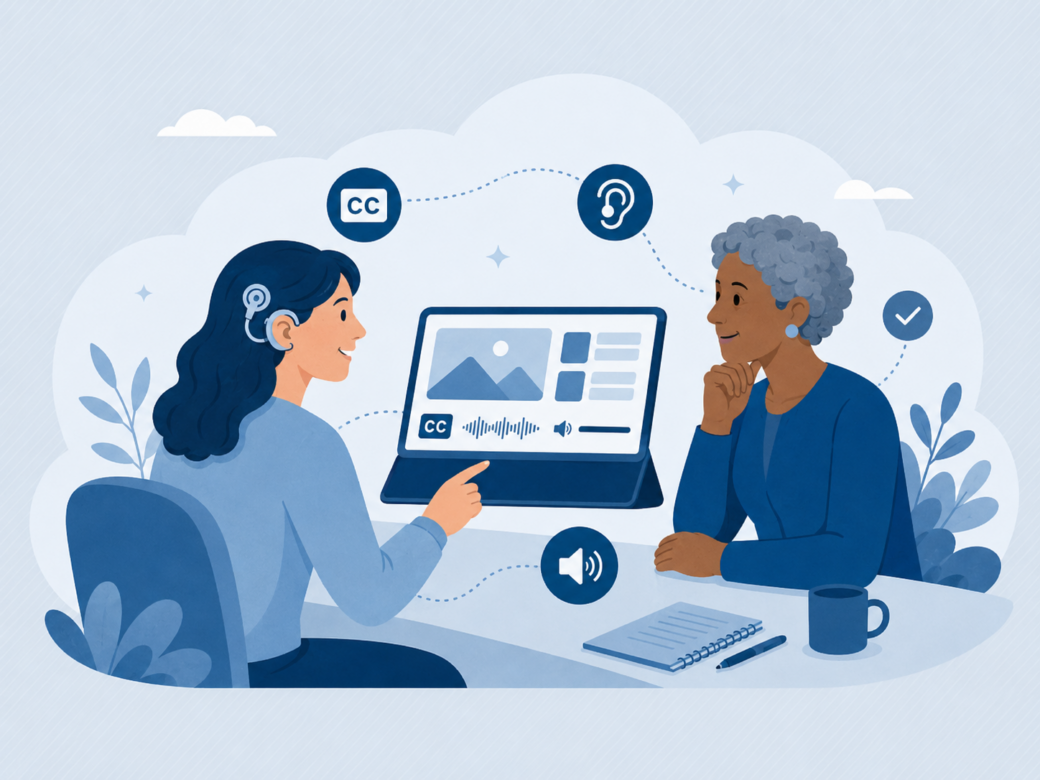
Raising awareness provides the foundation for sustainable change by helping everyone understand the importance of accessibility and its wide-ranging benefits. Through our work at eLaHub supporting over 150 clients with digital and L&D accessibility transformation, we have often seen accessibility initiatives start with specialised training delivered across wider teams. However, our experience shows that these initiatives are far less likely to succeed if broader awareness has not first been established. Without helping employees connect with the human impact of digital accessibility and understand why it matters, even well-designed technical training can struggle to gain traction or lead to lasting change.
This is why communal awareness training is so important. Programmes such as the Digital Accessibility in Action workshop developed at eLaHub specifically to address this need, create a shared learning experience for teams. They help build understanding, encourage collaboration and establish a common focus on accessibility.
Once teams have ignited the ‘accessibility spark’, subsequent initiatives and more specialised training are far more effective and have a greater chance of succeeding in the long term. These sessions can also create a safe opportunity for employees with disabilities or other access needs to speak openly about the accessibility barriers they may encounter in the workplace, often for the first time.
Building digital accessibility capability across the organisation
A digital accessibility strategy will not succeed unless staff have the knowledge and confidence to apply accessibility in practice.
Following the raising of awareness, accessibility becomes embedded when key teams receive structured, specialist training that connects standards with real workflows, systems and decision making.
Capability building should focus on those who influence digital experience every day. This includes digital and IT teams, L&D, HR, procurement, communications and project managers. When these teams understand accessibility foundations and how to review their own work, progress to a more accessible digital environment accelerates.
An ongoing self-audit approach is also essential. Teams should be equipped to regularly review systems, learning content and communication channels against agreed standards. This shifts accessibility from a reactive response to a continuous improvement process.
It is also vital to appreciate that consistency matters. That’s why it’s so important that new starters should receive the same foundational training, with shared understanding reducing variability and strengthening governance.
Fundamentally, investing in capability is not an optional enhancement, but the driver of sustainable digital accessibility maturity and long-term progress.
Accessible eLearning as a foundation of strategic digital accessibility
Accessible and inclusive eLearning is often one of the most practical starting points for strengthening digital accessibility maturity. This means L&D teams have a key role in modelling and embedding accessible digital practice. Positioning accessible learning as a central element of an organisation’s digital accessibility strategy, also brings wider opportunities.
Consider how learning platforms and online training are used across the organisation. They reach new starters, managers, technical teams and senior leaders. When learning content is accessible as the default, it sends a clear message about expectations and standards. A visible example of inclusive design in action, it raises awareness across teams about structure, clarity, captions, navigation and assistive technology. Those lessons transfer into other digital environments such as intranets, internal communications and HR systems.
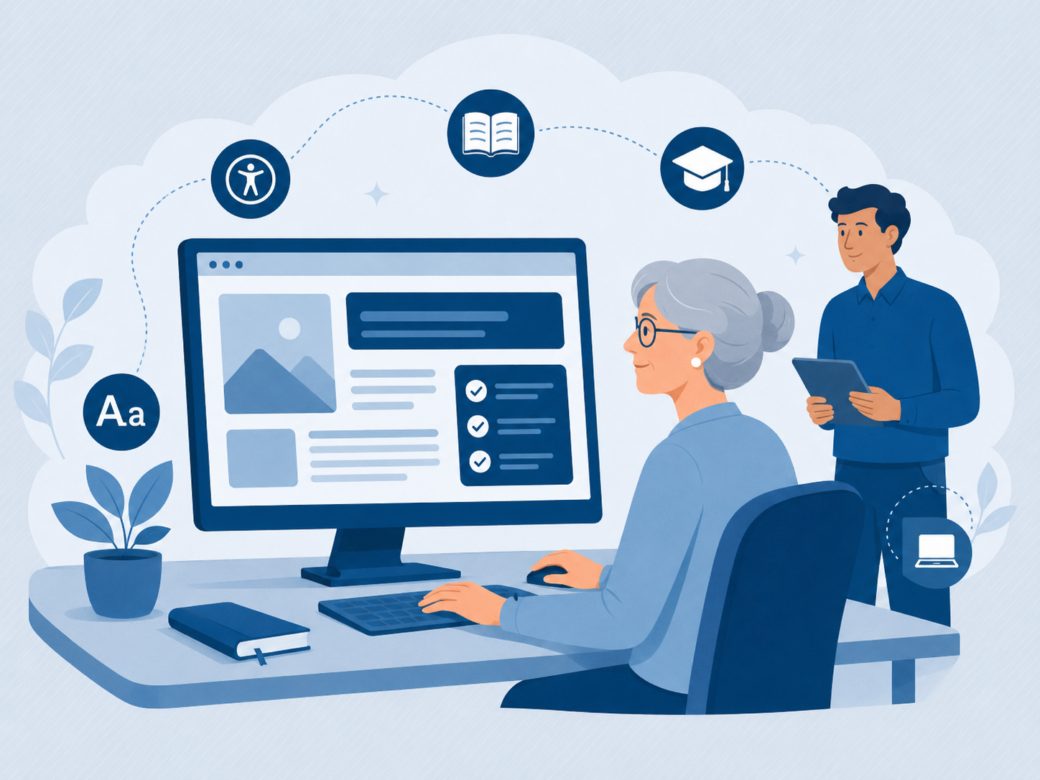
The creation of accessible learning also has a direct impact on employee experience. When training is easy to navigate, clearly written and compatible with assistive technology, employees can focus on developing skills rather than overcoming barriers. That supports progression, confidence and equal access to development opportunities.
By developing capability within learning teams through training such as eLaHub’s Designing Accessible Learning Content (DALC) Programme, eLearning can act as both a practical intervention and a catalyst for wider digital change.
This is illustrated in examples such as our Farm Credit Canada case study which demonstrates how taking part in the DALC Programme empowered the organisation’s learning team to become accessibility leaders and drive strategic change across their digital workplace and wider business.
Embedding digital accessibility into procurement and vendor management
Many accessibility issues arise because organisations invest in tools or platforms without fully assessing how well they support employees with access needs.
Retrofitting accessibility after purchase is often costly, complex and frustrating. By introducing vetting and clear expectations during procurement, organisations can reduce risk and protect long term investment.
A robust digital accessibility strategy should ensure that accessibility is clearly specified, assessed and governed through procurement processes.
The following practical steps can support this:
- Ensure that clear accessibility requirements are included in tender documents and request evidence of conformance with recognised standards such as WCAG 2.2 Level AA.
- Ask suppliers to provide up to date accessibility statements and detailed conformance reports, rather than general assurances.
- Request demonstrations showing how the platform works with screen readers, keyboard navigation and captions in real time.
- Involve IT, digital, HR and L&D teams in evaluation so accessibility is assessed from multiple perspectives.
- Where possible, involve employees with access needs in user testing before final selection.
- Build accessibility commitments into contracts, including remediation timelines and responsibilities.
- Establish ongoing review checkpoints to ensure accessibility is maintained during upgrades and configuration changes.
Making accessibility an integral part of procurement processes protects employees, reduces operational risk and strengthens digital maturity across the organisation.
Progress over perfection
“A successful digital accessibility strategy does not happen overnight. It develops through a consistent approach, with deliberate and staged improvement supported by ongoing awareness and capability building.”
Organisations benefit from regularly reviewing progress, refreshing training and setting realistic goals for improvement. It is also important to recognise that digital accessibility is constantly evolving. Technologies change, standards are updated and legislation continues to develop. For this reason, at eLaHub we often talk about the importance of progress over perfection.
Organisations will not get everything right immediately. Teams will learn, make adjustments and sometimes make mistakes along the way. What matters most is maintaining momentum, taking practical steps forward and continuing to reduce barriers over time.
Digital accessibility maturity is therefore not about perfection. It is about measurable progress, shared accountability and a sustained commitment to improving the digital workplace for everyone.
How eLaHub helps organisations embed digital accessibility in the workplace
Digital accessibility affects how employees access workplace systems, information, communication and learning. Making sustained progress requires shared understanding, clear responsibilities and the capability to apply accessibility consistently across teams and projects.
Learning and development teams can play an important role in this work. They create digital content, select technology, work with suppliers and support changes in workplace practice. Developing accessibility expertise within these teams can improve learning experiences while also influencing wider decisions about digital content, platforms and processes.
Our flagship Designing Accessible Learning Content Programme gives learning professionals the practical knowledge and skills to design, develop and test accessible eLearning. The programme helps teams establish a shared approach, apply accessibility more consistently and become confident advocates for accessible practice across their organisations.
eLaHub also supports organisation-wide progress through:
- Digital Accessibility in Action Training, helping leaders and teams understand what accessibility means in practice and how it connects with employee experience, inclusion, organisational performance and legal responsibilities.
- Accessible Learning Consultancy, providing practical and strategic support to help organisations set priorities, improve processes and connect accessible learning with wider digital accessibility goals.
- Tailored Training for Teams, addressing the specific accessibility responsibilities, workflows and challenges faced by learning, digital, communications and other workplace teams.
Together, these services help organisations build the awareness, capability and structures needed to make accessibility part of everyday practice. Accessible learning can provide a practical starting point because it can reach employees across the organisation and demonstrate how inclusive digital practice can be applied to real workplace experiences.
The impact of this approach can be seen in our work with:
Farm Credit Canada, which combined the DALC Programme with Accessible Learning Consultancy. The programme established a shared foundation in accessible learning, while consultancy support helped the team apply consistent practice and influence accessibility across procurement, technology and wider organisational partnerships.
Abri, which combined the DALC Programme with an Accessibility Assessment. The assessment provided insight into current accessibility practice, while the programme helped turn that insight into shared capability and practical approaches that could be embedded across learning and organisational communications.
For further guidance, explore our ultimate guide to eLearning accessibility and our ultimate guide to shifting left, which examine how to create accessible learning and build accessibility into projects and processes from the earliest stages.