
Here we discuss the diverse range of digital access needs and how we developed an activity to help broaden perspectives and challenge assumptions.
In our Insights post, 20 eLearning accessibility tips for more accessible learning content, we explored some of the issues we identified that prevented learning practitioners from engaging with accessibility and applying it successfully to learning content. One of the most common, was a narrow understanding of who accessibility supports.
Many practitioners associated digital accessibility almost entirely with blind people who use screen readers. Others believed that disabled people represented only a very small proportion of their learning audience. In this post we explore these misconceptions in more depth and share an awareness-raising activity that has become central to our training and consultancy work.
The eLaHub Access Needs Mapping activity helps practitioners connect accessibility requirements with real people, recognise the range of conditions and access needs within any learning audience, and get a better picture of why many of those needs may not be visible or disclosed.
Revisiting the four digital access needs
When we first created our accessibility awareness materials, we focused on the four broad categories of digital access need:
- Vision access needs
- Hearing access needs
- Motor access needs
- Cognitive access needs
These categories gave learning practitioners a straightforward way to begin thinking about and applying accessibility.
The categories and the 20-tip leaflet that we explored in our original post were especially valuable because they extended accessibility beyond vision. They made it clear that although screen reader access was, of course, essential, learning practitioners also needed to be aware of other considerations such as captions, keyboard operation, content structure, navigation and plain language etc.
Turning the four categories into an activity
As our training and consultancy work developed, we realised that the original four access needs had a lot of potential to further support learning practitioners. This led to us developing an interactive awareness-raising activity that we called eLaHub Access Needs Mapping.
This is how it worked. In our training or consultancy kick-off meetings etc. we asked the teams we were supporting to think of someone with a disability, condition or access need.
We explained that this person could be anyone, for example:
- The participant themselves
- Someone in their family
- A friend or colleague
- A public figure they know about
We then asked them to identify the person’s condition or access need and consider which of the four categories it might belong to.
We found that this simple exercise was really helpful in helping to move accessibility beyond technical requirements, to something that impacted real people. Instead of opening with success criteria, conformance levels and specialist terminology, the conversation begins with someone participants know or recognise.
Accessibility then becomes connected to a parent with arthritis, a colleague with hearing loss, a friend with dyslexia or a family member who has developed cataracts. It may also connect with a participant’s own disability or health condition, including one they have chosen not to share with their team or workplace. And even when someone cannot immediately think of a person they know directly, a well-known public figure gives them a real person and experience they can recognise. As a result, participants begin to understand that access needs are already present within their families, workplaces and wider communities.
Useful categories with important limitations
As we worked on developing this activity further, we also learned a useful lesson about the categories themselves. Although the four categories were useful, they could also be too rigid and oversimplified. Participants often described conditions that could affect more than one area. They also recognised that two people with the same condition might experience very different barriers.
Multiple sclerosis, for example, could affect vision, movement, dexterity, fatigue, memory or concentration. Cerebral palsy could involve motor and speech access needs, with the impact varying considerably from one person to another. These discussions showed us that we needed to address the limitations of the categories before asking participants to complete the activity. We therefore looked for evidence and guidance that would help us explain this clearly.
W3C guidance recognises that people may experience multiple disabilities and that health conditions can affect stamina, dexterity and concentration. It also highlights temporary access needs, changing abilities and conditions that affect people differently at different times. Most importantly, it recommends considering people’s functional needs rather than relying on medical classifications.
“It is, therefore, important to consider the broad diversity of functional needs rather than categorize people according to medical classifications.” W3C
Our research showed that we had two valuable messages to reinforce:
- The categories provide a practical and accessible place to begin.
- They should never become fixed boxes that define a person or determine the support they need.
A condition alone cannot tell a learning practitioner how someone will experience a learning resource. We need to consider the barriers created by the content, technology, environment or activity, alongside the adjustments and design decisions that enable that person to participate.
The range of conditions people identified
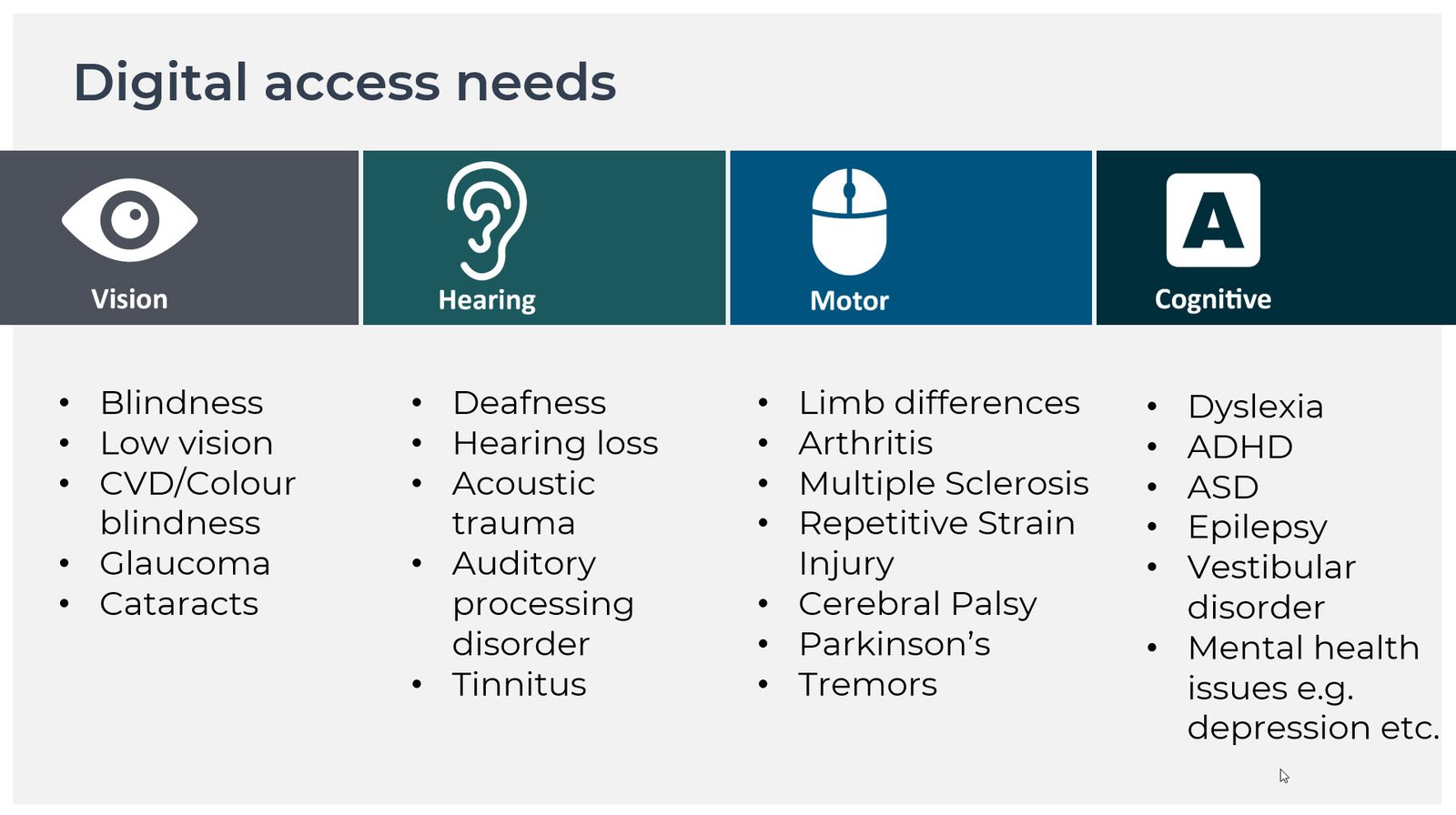
The next step in our Access Needs Mapping activity was to ask participants to see if they could think of one condition that would fit into the categories that they had not already considered. Over time, participants generated a substantial collection of conditions and digital access needs.
Some of the most commonly discussed included:
Vision access needs
- Blindness
- Low vision
- Colour vision deficiency, often called colour blindness
- Glaucoma
- Cataracts
Hearing access needs
- Deafness
- Hearing loss
- Acoustic trauma
- Auditory processing differences
- Tinnitus
Motor access needs
- Limb differences
- Arthritis
- Multiple sclerosis
- Repetitive strain injury
- Cerebral palsy
- Parkinson’s
- Tremors
Cognitive access needs
- Neurodivergent conditions such as autism, dyslexia and ADHD
- Epilepsy
- Vestibular disorders
- Mental health conditions, including depression
Broadening the picture of disability
Again, we identified many benefits of this next stage of the activity. The conditions that people contributed helped move practitioners’ understanding beyond the conditions most frequently associated with disability. It ranged from blindness and deafness to arthritis, tinnitus, dyslexia and depression. This helped challenge the common image of disability as something represented primarily by a wheelchair or white cane.
Motor access needs, for example, often produced one of the most significant shifts in understanding. When people first identified the word ‘motor’, they often thought of someone who uses a wheelchair. Yet within the digital context, most motor barriers relate more directly to hands, arms, coordination, pain, fatigue and manual dexterity.
A person may walk without difficulty but find it painful to use a mouse. Someone with a tremor may struggle to activate a small control accurately. Repetitive strain injury may make repeated clicking difficult even though there is no visible sign of disability. Once practitioners understood this, concepts such as keyboard access, target size, visible focus and alternatives to drag-and-drop interactions were much easier to convey.
For a broader introduction to how these and other accessibility considerations apply across websites, systems and digital content, explore our eLaHub ultimate guide to digital accessibility in the workplace.
Challenging ‘us and them’ thinking
Another positive impact of asking practitioners to identify conditions was that it demonstrated that access needs are not always fixed from birth or experienced consistently every day.
Some conditions develop later in life. For example, glaucoma may affect someone’s vision as they age, while arthritis may gradually change how comfortably they can use a keyboard or mouse.
Other needs can be intermittent or recurring. Pain, fatigue, medication and changes in health can affect how someone interacts with digital content on a particular day.
Digital access needs can also be temporary. A broken wrist may temporarily change how someone operates a computer, while an ear infection may affect access to audio content.
This helped move the conversation away from the idea of a fixed group of ‘disabled learners’ who are separate from everyone else. Any of us may experience a permanent, temporary, intermittent or situational access need. This means that the support we require may change during our lives or even from one day to the next.
Why a quarter of the workforce becomes easier to understand
We found that the range of conditions identified through the exercise also helped practitioners understand why disability and access needs affected a far larger proportion of their audience than they may have expected.
Recent research from Boston Consulting Group surveyed nearly 28,000 employees across 16 countries to explore the prevalence of disability in the workplace. Most organisations reported that between 4% and 7% of their employees were disabled. However, when employees were given the opportunity to self-identify, around 25% said they had a disability or health condition that limited a major life activity. Although this does not mean that every learning audience will contain exactly the same proportion, it does demonstrate the scale of the gap between organisational perceptions and employees’ own experiences.
When disability is understood mainly through blindness or visible physical disabilities, the finding that around 25% of employees identify as having a disability or health condition can seem unexpectedly high. We found that this activity, by showing practitioners the much wider range of sensory, physical, cognitive, neurological and mental health conditions that may be present within any workforce, helped explain why.
Recognising this wider range helped practitioners understand the gap between organisational perceptions and employees’ own experiences. It also challenged one of the statements we have heard repeatedly during client conversations:
“We don’t have any disabled people in our audience.”
An organisation may not know who has a disability or access need. That is very different from those people not being in the learning audience.
Why non-visible disabilities become easier to understand
The activity also helped practitioners appreciate why such a high proportion of disabilities and access needs may not be immediately apparent. Once participants consider conditions such as hearing loss, autism, dyslexia, mental health conditions, chronic pain, fatigue and reduced manual dexterity, the estimate becomes much easier to understand.
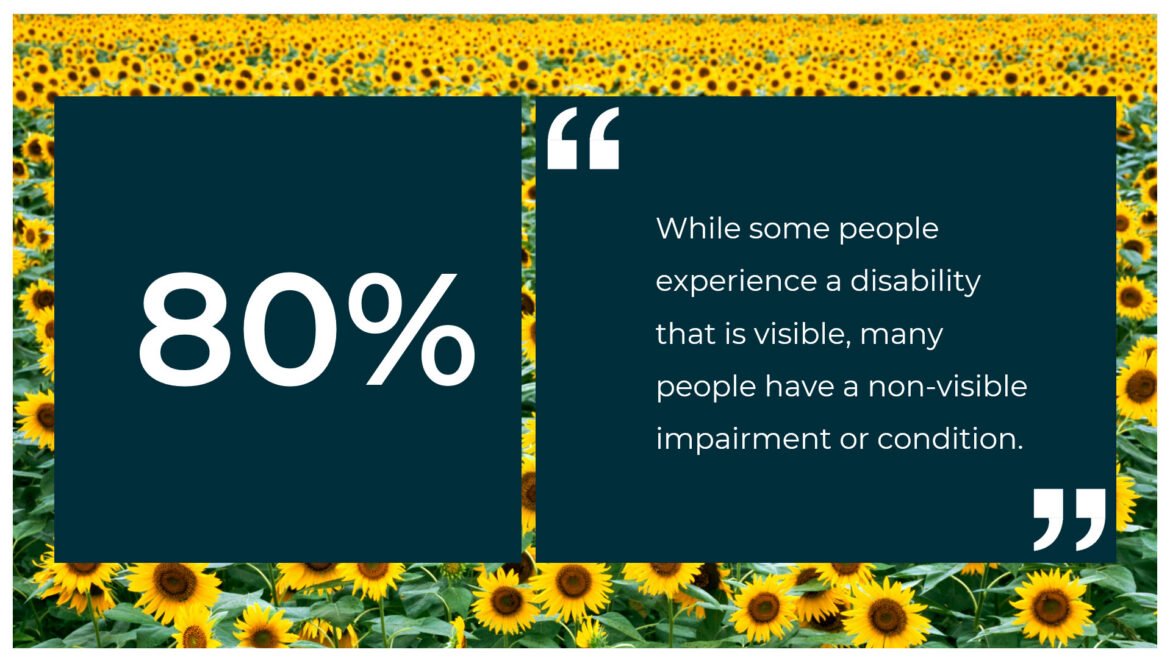
A UK Parliament research briefing cites estimates that between 70% and 80% of disabilities are non-visible. The Hidden Disabilities Sunflower reports a similar global figure, stating that up to 80% of disabled people have a non-visible disability, representing more than one billion people worldwide.
This gave the activity another important purpose. By connecting the statistics with real people and a much wider range of conditions, practitioners could see why appearance, disclosure data and requests for adjustments can never give a complete picture of their audience. The people who need accessible learning may already be taking part, even when the organisation is unaware of them.
Progress over perfection – overlooking speech access needs
After running the activity for several months, we learned another important lesson. We realised that our categories had overlooked an important access need. In one of our sessions, a practitioner questioned why we hadn’t included speech access needs. We realised that this was because the majority of the WCAG standards do not impact speech access needs and that they tend to be more relevant for virtual or face-to-face delivery rather than for online learning. It was, nevertheless, an important access need to have overlooked.
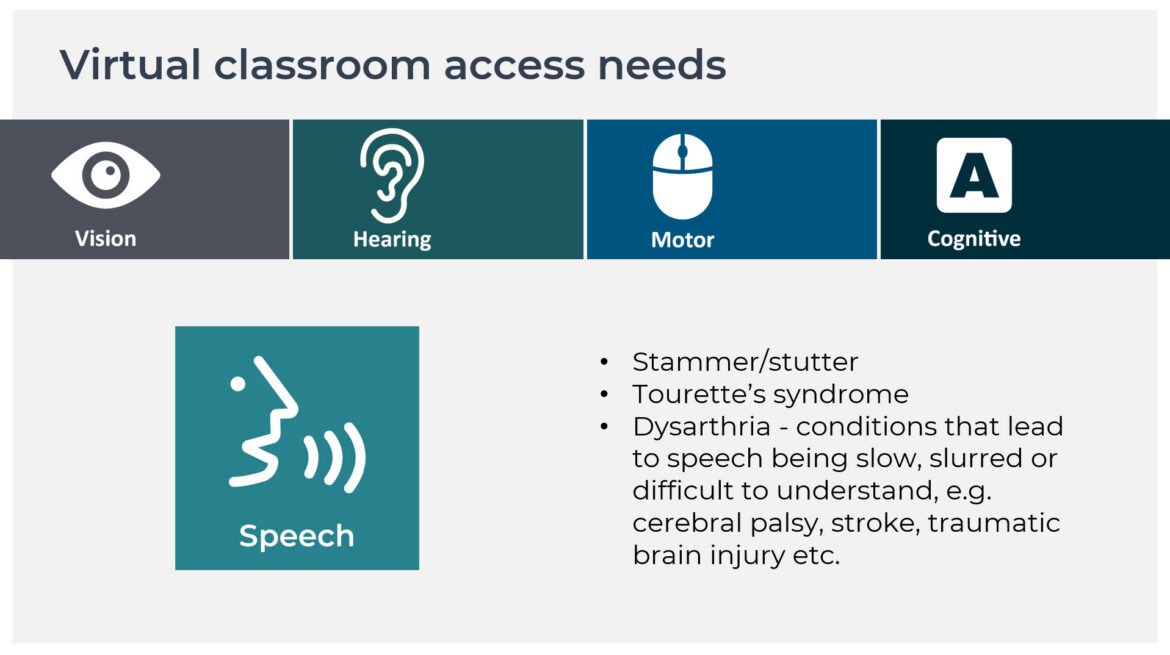
Once we added speech access needs, participants identified conditions including:
- Stammering
- Dysarthria
- Apraxia of speech
- Aphasia
- Mutism
- Tourette syndrome
As well as ensuring that our categories were more inclusive and covered a broader range of access needs, including speech access, it was also particularly successful in moving the discussion beyond the learning context. One participant shared how his stammer had made him dread contributing in meetings or being asked to give presentations. Including speech access needs therefore helped practitioners recognise that accessibility should shape participation across the whole organisation, not only access to learning content.
Why the activity continues to have such an impact
The eLaHub Access Needs Mapping activity has become one of the most useful tools in our accessibility awareness work. We continue to use it within our advocacy and speaking sessions, digital accessibility awareness training and consultancy work. It has also been turned into a key lesson in our award-winning Designing Accessible Learning Content (DALC) Programme.
It works because it helps teams:
- Connect accessibility with people they know
- Move beyond a primary focus on blindness
- Recognise the breadth of conditions within an audience
- Understand that digital access needs can overlap and change
- Appreciate why many disabilities are never visible or disclosed
- Identify speech as an essential consideration beyond self-paced digital content
It also creates valuable conversations within teams. Participants often hear colleagues describe conditions or experiences they had never previously considered. Some choose to share their own digital access needs. Others begin recognising barriers experienced by people in their families or workplaces. This develops a much more meaningful foundation for the work that follows.
When we later discuss captions, keyboard access, alternative text, contrast or plain language, participants can connect each decision with the people it supports. Accessibility standards still matter. The eLaHub Access Needs Mapping activity helps practitioners understand why they matter. That is why we continue to use it and why it remains such an effective starting point for organisations beginning to move forward with their accessibility transformation.
About this article
Written by: Susi Miller and the eLaHub team
Published: August 2026
Explore more with the eLaHub newsletter
For longer thought-leadership articles, in-depth practical guidance and strategic perspectives on accessible and inclusive learning, subscribe to our LinkedIn newsletter, The eLaHub Accessibility Briefing.
Each edition explores an important topic in greater depth, drawing on research, client experience and lived experience. You will find clear guidance, practical reflections and useful ideas to help you move accessibility forward across your organisation.
[Subscribe to The eLaHub Accessibility Briefing] [add link]
Links and resources
- 20 eLearning accessibility tips for more accessible learning content
- Accessible and inclusive eLearning – eLaHub ultimate guide
- Boston Consulting Group – Your Workforce Includes People with Disabilities
- UK Parliament – Invisible Disabilities in Education and Employment
- Hidden Disabilities Sunflower – What is a hidden disability?
- W3C – Diverse Abilities and Barriers
- W3C – Speech disabilities and digital barriers